
Revenue goals keep climbing every year, and go-to-market (GTM) teams feel the pressure. Marketing, sales, and RevOps are handling more calls, more emails, and inbound activity than ever. Eventually, time and headcount reach their limit, and the only real way to scale is to automate.
That’s where modern GTM automation tools come in. They bring marketing, sales, and RevOps together, streamline operations, and remove the friction that slows teams down.
To scale effectively, teams need a GTM stack that blends automation with intelligence. The tools should be AI-driven, personalize customer engagement, and work well together so every step of the buyer journey feels connected.
Let’s look at the top 8 GTM tools your team needs to deliver real results and help you execute, not just plan. We’ll break down each one’s core features, pros, cons, and best use cases to help you find what fits your GTM strategy best.
Top 8 GTM automation tools worth evaluating
Primary function | Core use case | Strength | Ideal team | |
Spara | AI lead engagement and qualification | Convert inbound leads | AI agents across chat, email, and voice | Modern GTM teams focused on inbound conversion |
HubSpot Operations Hub | Data management | Sync and clean customer data | Bi-directional sync and data quality automation | RevOps teams |
6Sense | Account based marketing | Identify and prioritize high-intent accounts | Deep intent data and segmentation | ABM teams in mid to large enterprises |
Clay | Data enrichment | Build and automate enrichment workflows | Live data from 90+ sources | Teams creating personalized outreach |
Customer.io | Multi-channel messaging | Trigger campaigns from user behavior | Email, SMS, push, and in-app automation | Marketers running targeted campaigns |
Zoominfo | B2B contact data | Prospecting and list building | Large verified database | Sales teams needing accurate B2B data |
Gong | Conversation intelligence | Analyze calls and extract insights | AI insights from calls, emails, and meetings | Orgs needing deep call analysis |
Clari | Revenue forecasting | Track pipeline and deal health | AI forecasting and deal visibility | Enterprises with complex revenue models |
1. Spara
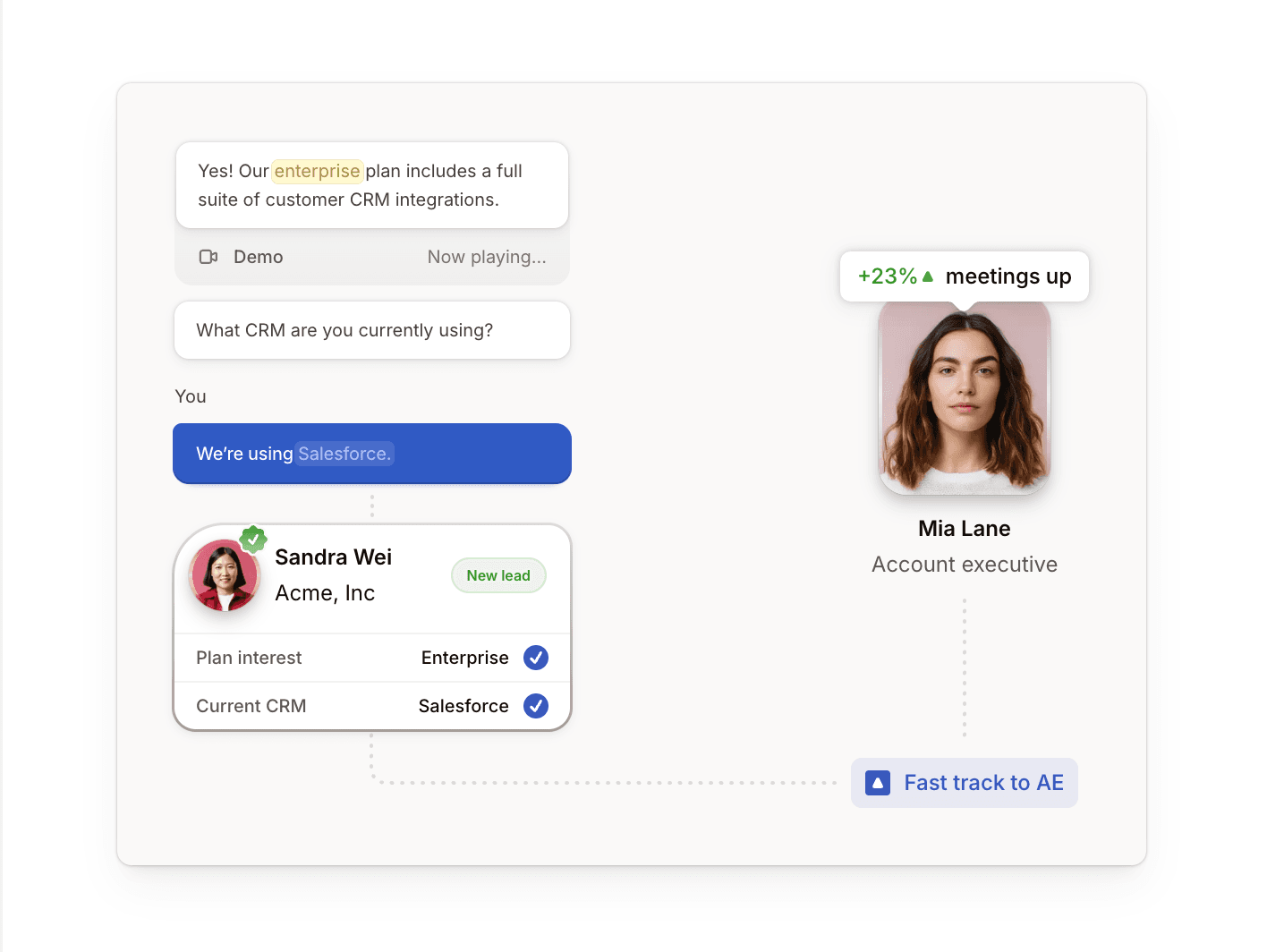
Spara is a modern AI-native GTM automation platform that helps teams qualify, engage, and convert inbound leads with conversational agents across chat, email, and voice.
Its core engine, Spara AI, is trained on your company’s data and delivers personalized interactions across every channel. Whether a buyer starts a chat, replies to an email, or jumps on a call, Spara connects the dots so the conversation never breaks.
Spara actively drives each interaction by asking prequalification questions to identify high-value target accounts. It seamlessly integrates with Cal.com, Chili Piper, and other leading calendars to connect prequalified leads directly to AEs, and handles the unqualified ones on its own. This way, your reps walk into meetings with a full sales dossier that helps them close.
Pros
With Spara, teams:
Use AI-native architecture designed for today’s customer expectations
Deploy AI agents across Chat, Email, and Voice for connected conversations across channels
Connect various calendars, CRM, and communication tools so it works seamlessly with your existing tech stack
Build custom connections with its Web API, Webhooks, and JavaScript API
Protect customer data with enterprise-grade security through SOC 2 Type II, GDPR, and CCPA compliance
Cons
Spara:
Lacks a dedicated mobile application
Is comparatively new tool because it was built post-LLM era
Best for
Spara is best for modern GTM teams looking for an AI-native solution to increase conversions.
2. HubSpot Operations Hub
HubSpot Operations Hub is built to streamline data management for B2B businesses. It helps teams sync customer data and build a single source of truth across systems.
The platform drives this through three core capabilities: bi-directional data sync, programmable automation, and data quality automation.
Data sync connects all your third-party tools to HubSpot’s Customer Relationship Management (CRM) system and creates a unified view of your customer data.
Programmable automation provides flexibility to customize GTM workflows using JavaScript or webhooks. For example, you can build a workflow that alerts a sales rep when a deal advances to a new stage.
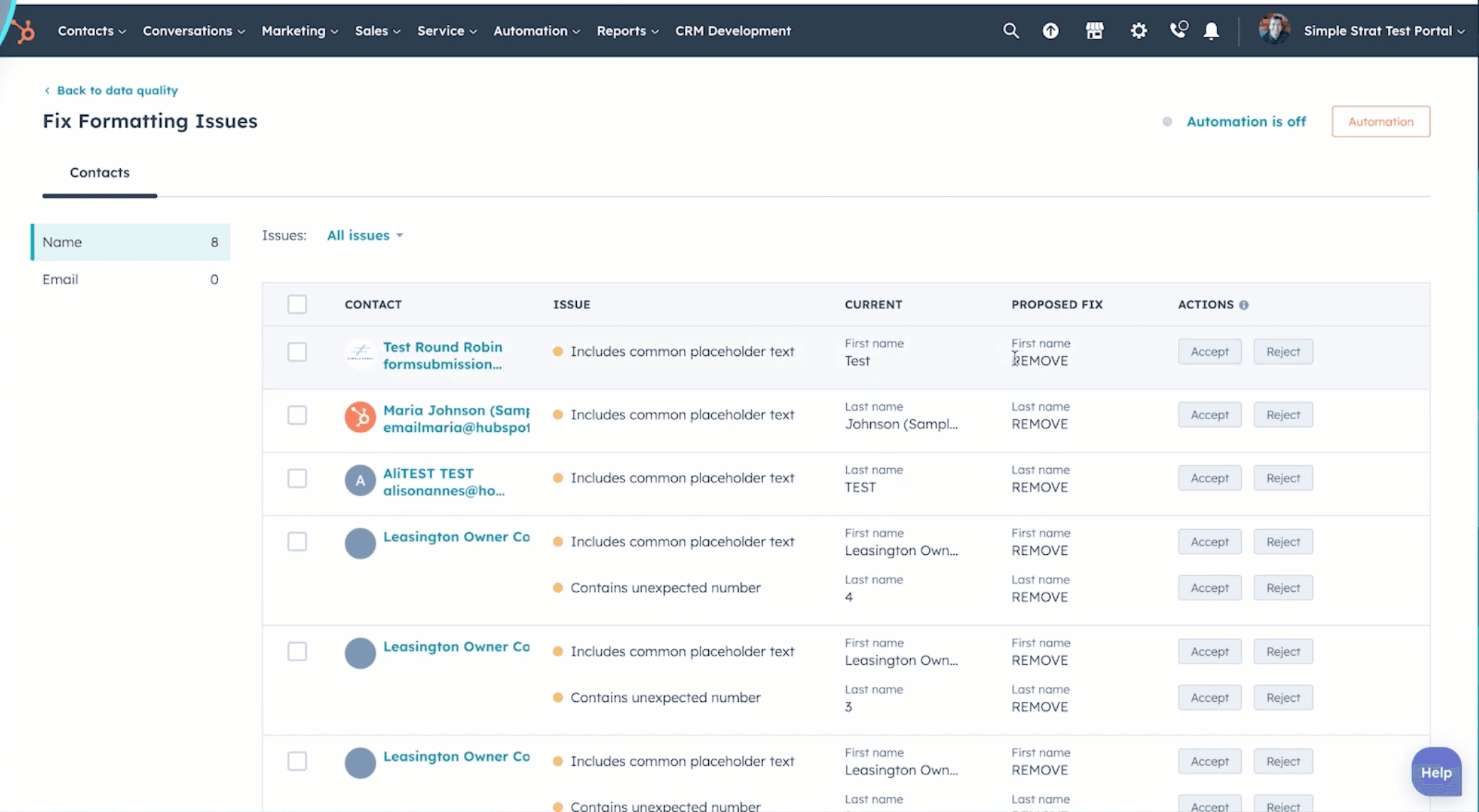
Data quality automation checks every record in your CRM against defined standards and automatically corrects common formatting issues, such as capitalization, spacing, and email consistency.
At its core, Operations Hub eliminates data silos between teams, ensuring that everyone in the organization has access to clean, reliable information. This centralized approach provides actionable insights and enables informed decision-making among GTM teams.
Pros
With HubSpot Analytics, teams can:
Build detailed reports and dashboard for data-driven decision-making
Get direct access to HubSpot data in Snowflake for advanced analytics and reporting
Trigger actions across Slack, Zoom, and Asana
Automate data cleaning and standardization through data quality workflows
Cons
Users mention that HubSpot Analytics:
Has an extensive product suite that may require more time during onboarding
Works best within the HubSpot ecosystem and has limited flexibility outside it
Has a free trial that lacks several key features
Best for
HubSpot Operations Hub is best for businesses looking to keep their data clean and synced across all their apps, and improve the efficiency of their RevOps.
3. 6sense
6sense is an account-based marketing (ABM) platform designed to identify high-intent buyers, prioritize the right accounts, and reach them at the right time.
The platform collects intent signals from multiple sources, including website visits, keyword searches, and engagement patterns. By blending this with your Customer Relationship Management (CRM) data, 6sense creates detailed account lists of your potential customers.
For marketing teams, 6sense turns intent data into action. It helps them create targeted campaigns by segmenting audiences based on buying behavior and historical trends.
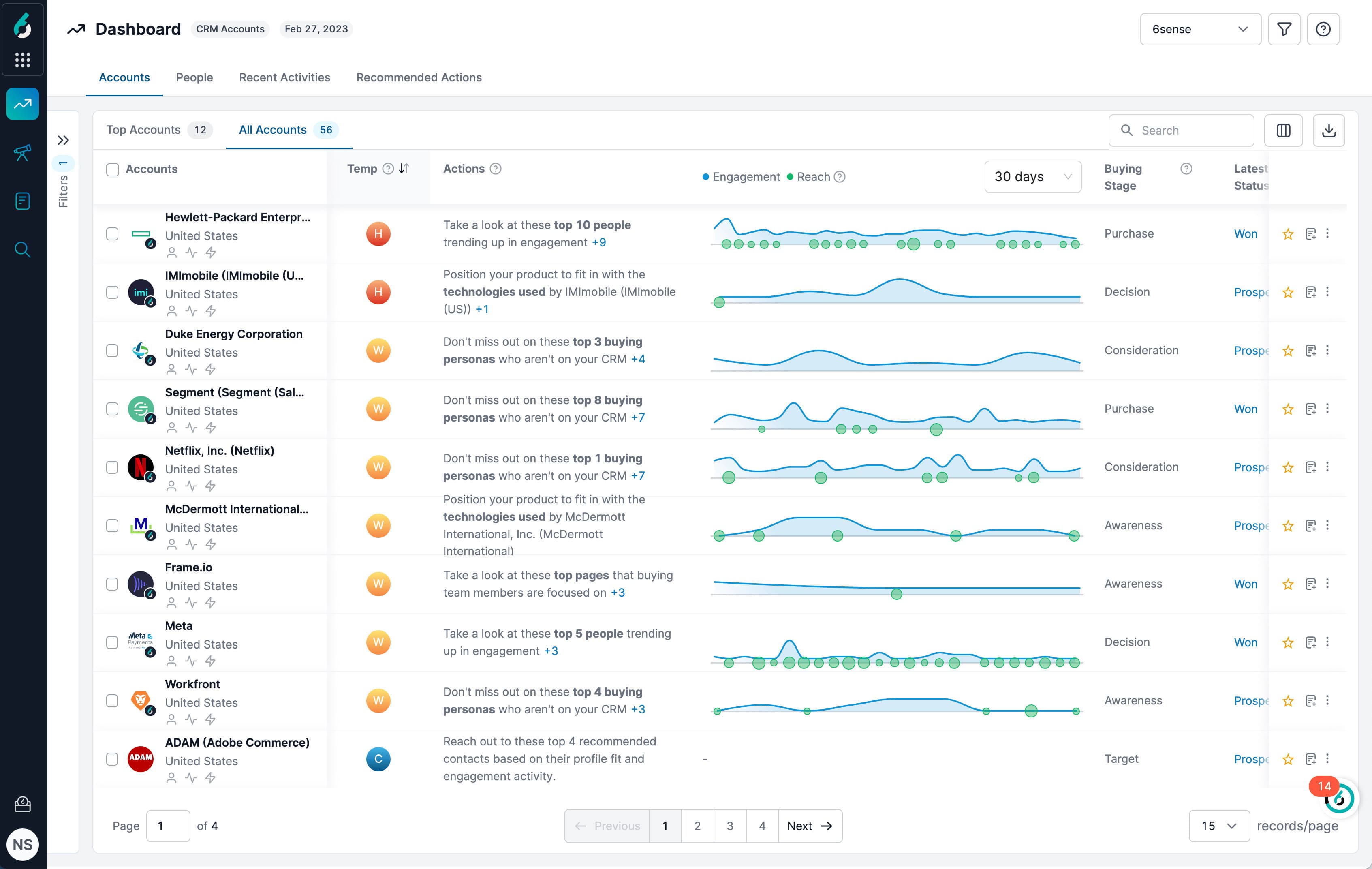
For SDRs, it provides a clear picture of where an account is in the sales process. 6sense’s prioritization dashboard highlights which companies are engaging with your marketing content, helping reps follow up on warm, high-potential leads.
Pros
6sense helps teams:
Orchestrate programs across advertising, email, and website personalization
Use AI to uncover demand, prioritize accounts, and accelerate sales cycles
Build precise customer segments for targeted engagement
Connect CRMs and automation tools easily
Streamline account-based programs as a recognized ABM leader
Provide highly accurate and specific data for better decision-making
Cons
When reviewing 6sense, consider that:
Pricing is enterprise-level and not listed publicly
Its credit-based enrichment can raise costs quickly
Its complex setup requires training resources to use effectively
Best for
6sense is ideal for mid to large-sized enterprises that follow ABM practices.
4. Clay
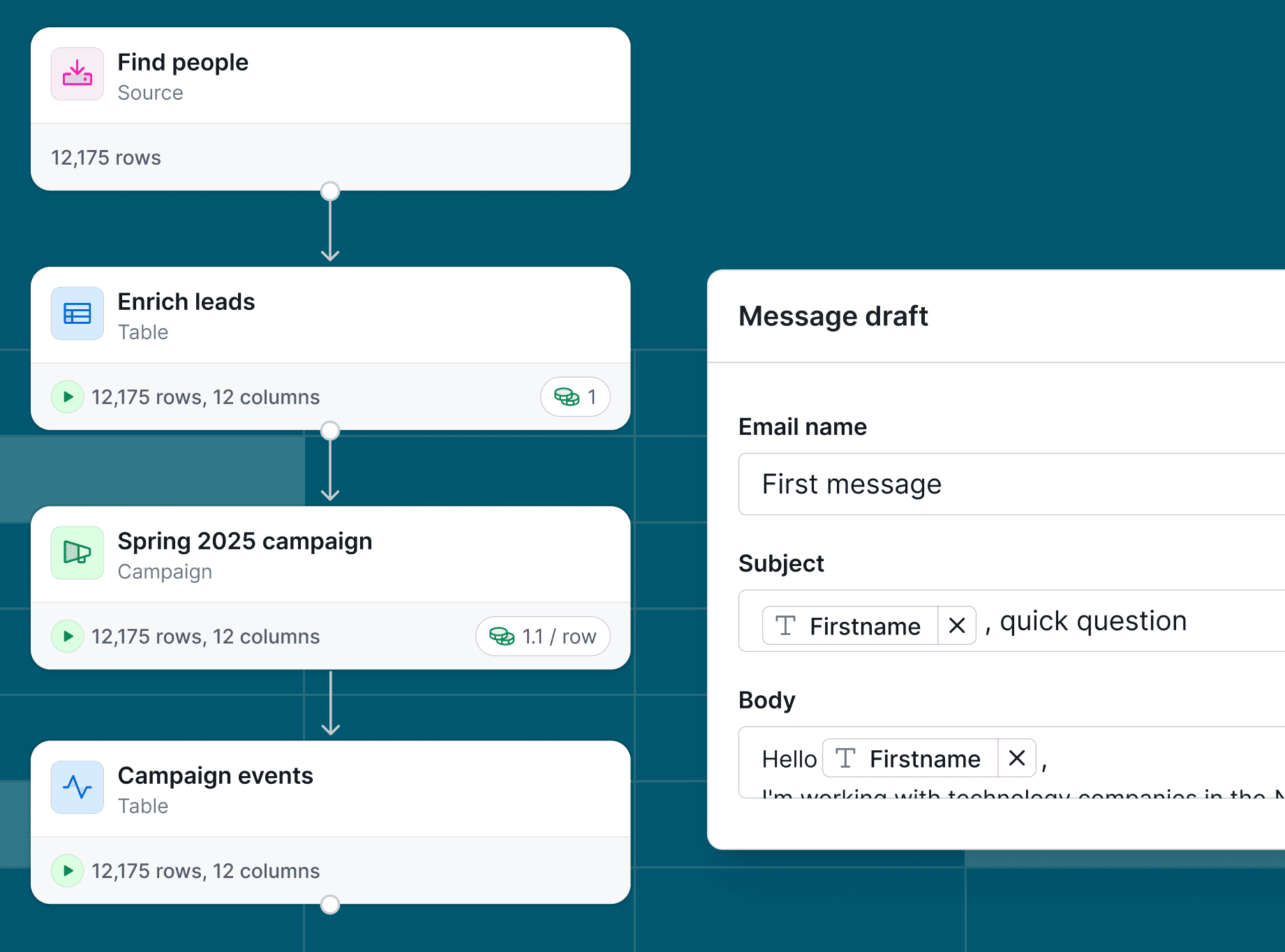
Clay is a powerful enrichment platform that consolidates live data from over 90 sources, including LinkedIn, Clearbit, and Apollo.
While the interface may look like a Google spreadsheet, it’s actually a flexible, no-code automation engine. You can drag in new enrichment steps, apply filters, and trigger next actions without writing a single line of code.
Clay doesn’t directly handle outreach, send emails, or manage deliverability. It’s strictly a data and workflow automation platform that prepares your outreach strategy. After you clean, enrich, and segment your leads in Clay, you can sync them with tools like Smartlead, Instantly, or Salesforge to deliver targeted outreach campaigns.
Pros
With Clay, teams can:
Customize rules to control how your data moves, updates, and qualifies
Centralize lead enrichment from multiple data sources into one live workspace
Consolidate multiple data sources, reducing the need for numerous subscriptions
Navigate with ease as long as they already use spreadsheets
Cons
Clay may:
Use a credit model that is difficult to track
Not include built-in outreach or email features
Feel overwhelming for non-technical or beginner users, with a learning curve that may require training for full adoption
Best for
Clay is best for businesses that need hyper-personalized outreach and want to build data-driven workflows to find, enrich, and export leads.
5. Customer.io
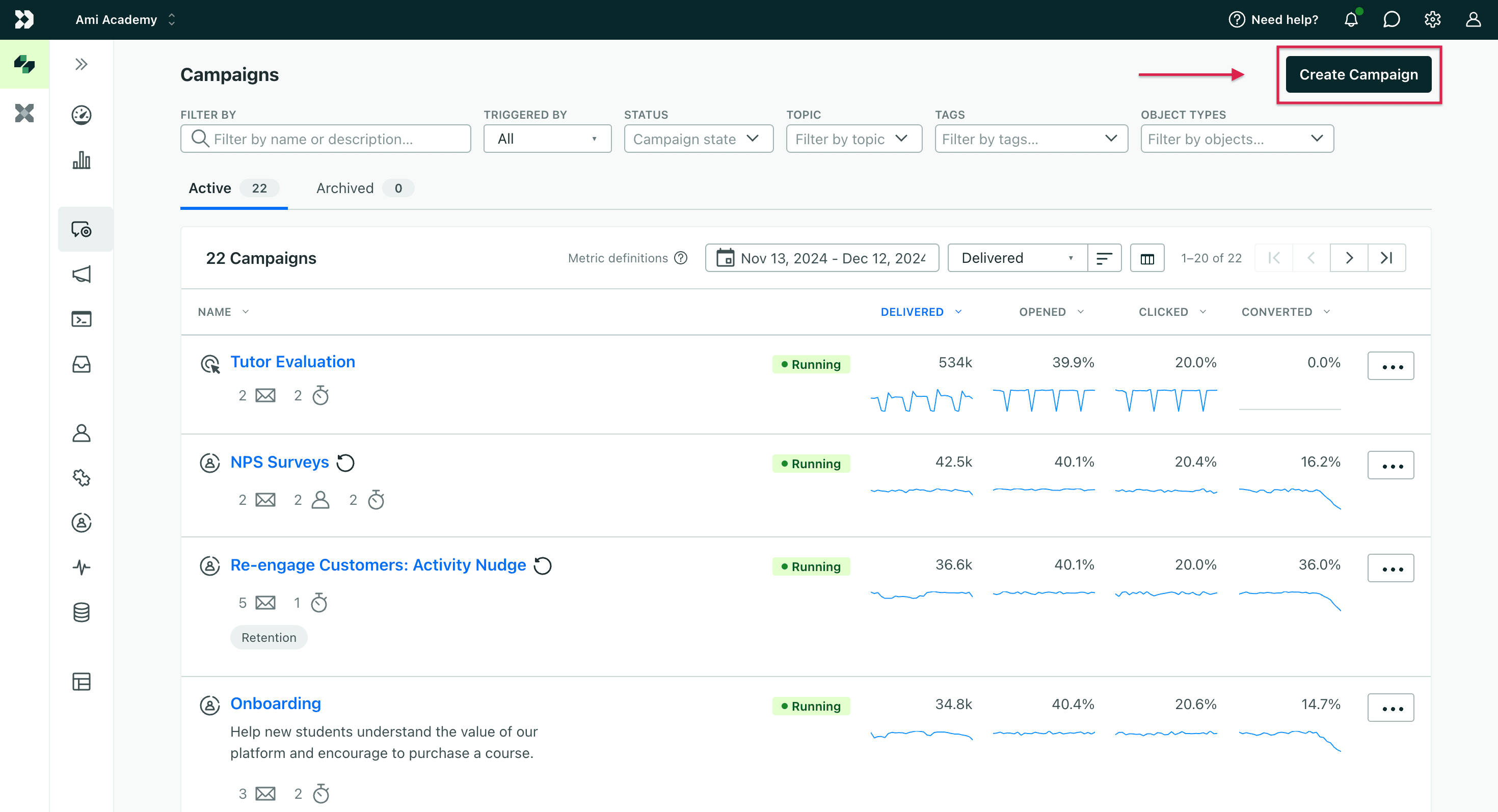
Customer.io is best known for email marketing, but it also drives engagement through SMS, push notifications, and in-app messages.
Customer.io stands out because it triggers messages in real-time based on live user behavior. The platform collects first-party customer data from your website, mobile app, and third-party integrations, and routes it through automated workflows. It then uses that information to trigger relevant and personalized campaigns.
Customer.io also offers robust A/B testing capabilities, allowing marketers to optimize their messaging across different channels.Pros
Customer.io offers:
Advanced functionality for technical users seeking greater control
Multiple channels, including email, SMS, push notifications, and in-app messages
Visual flow builder to customize campaigns and customer journeys
Real-time events, traits, and custom data sync with existing data pipelines
APIs, webhook triggers, and custom event capabilities in every plan
Cons
Potential drawbacks include:
Rising costs as your contact list grows
No free option for early testing
Technical skills requirement for full power
Best for
Customer.io is best for marketers that need precise, targeted email automation.
6. Zoominfo
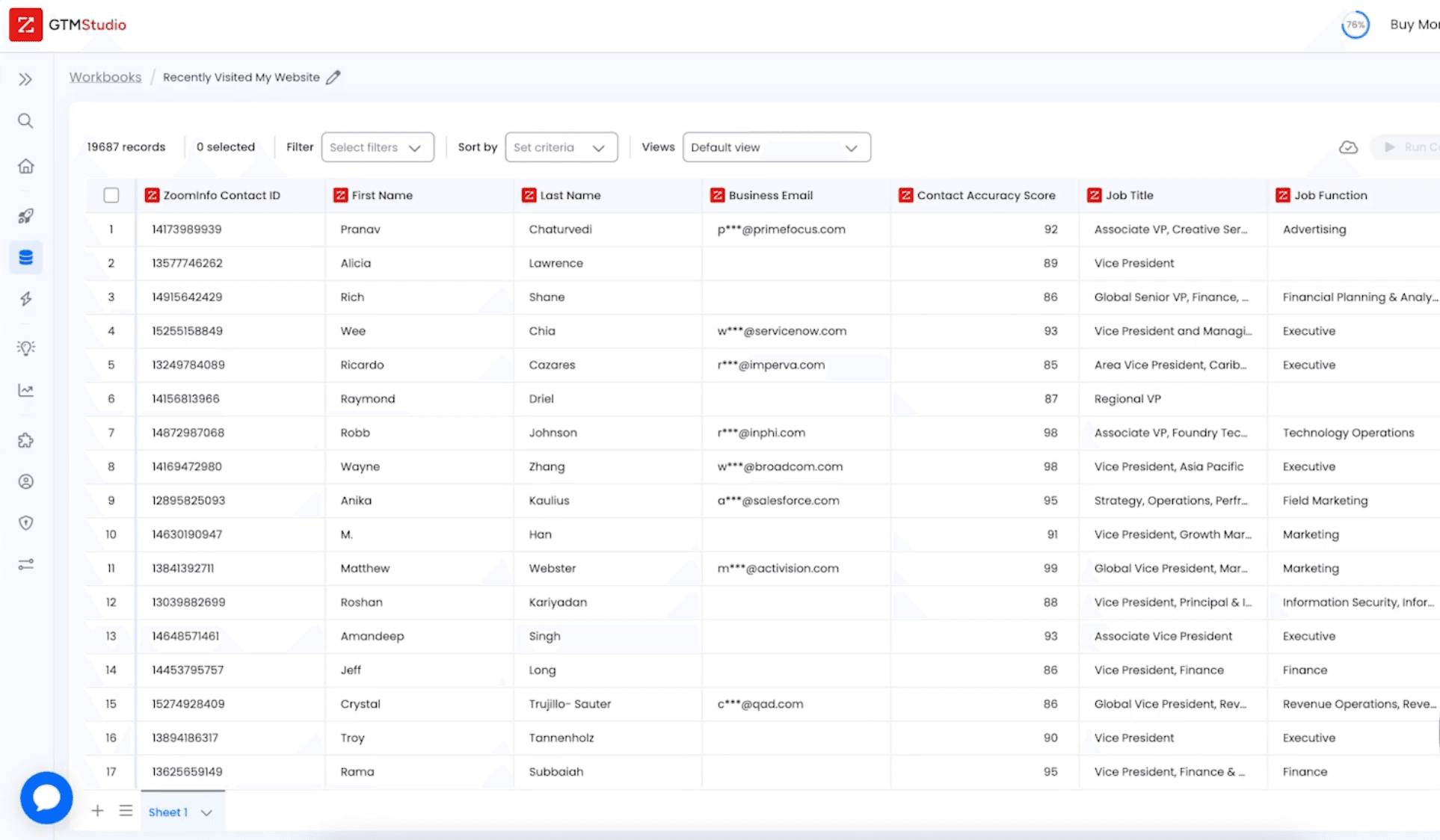
Zoominfo is a massive business-to-business (B2B) database with over 260 million contacts and 100 million company profiles, giving teams instant access to verified company and decision-maker information.
ZoomInfo is more than a data provider, however. Its built-in sales engagement suite, ZoomInfo Engage, combines data intelligence with sales automation. With this, reps can create and automate multichannel outreach sequences across email, calls, and LinkedIn.
ZoomInfo also shows who researches products like yours, when they’re most active, and what topics they care about. Instead of calling blindly, your team focuses on warm prospects already in-market.
Marketers can use this intent data to trigger campaigns the moment an account shows buying signals, making every outreach more relevant and timely.
Pros
ZoomInfo:
Tracks anonymous website visitors and provides their contact info via WebSights tool
Streamlines internal team processes ZoomInfo Copilot, an AI-powered tool
Simplifies lead generation by letting users filter data by job role, company size, or industry
Cons
Users mention that ZoomInfo:
Charges extra for its sales cadencing solution
Starts at $15K–$30K/year, making it one of the most expensive tools on the market
Best for
ZoomInfo is best for teams that need accurate B2B data to power prospecting and pipeline generation.
7. Gong
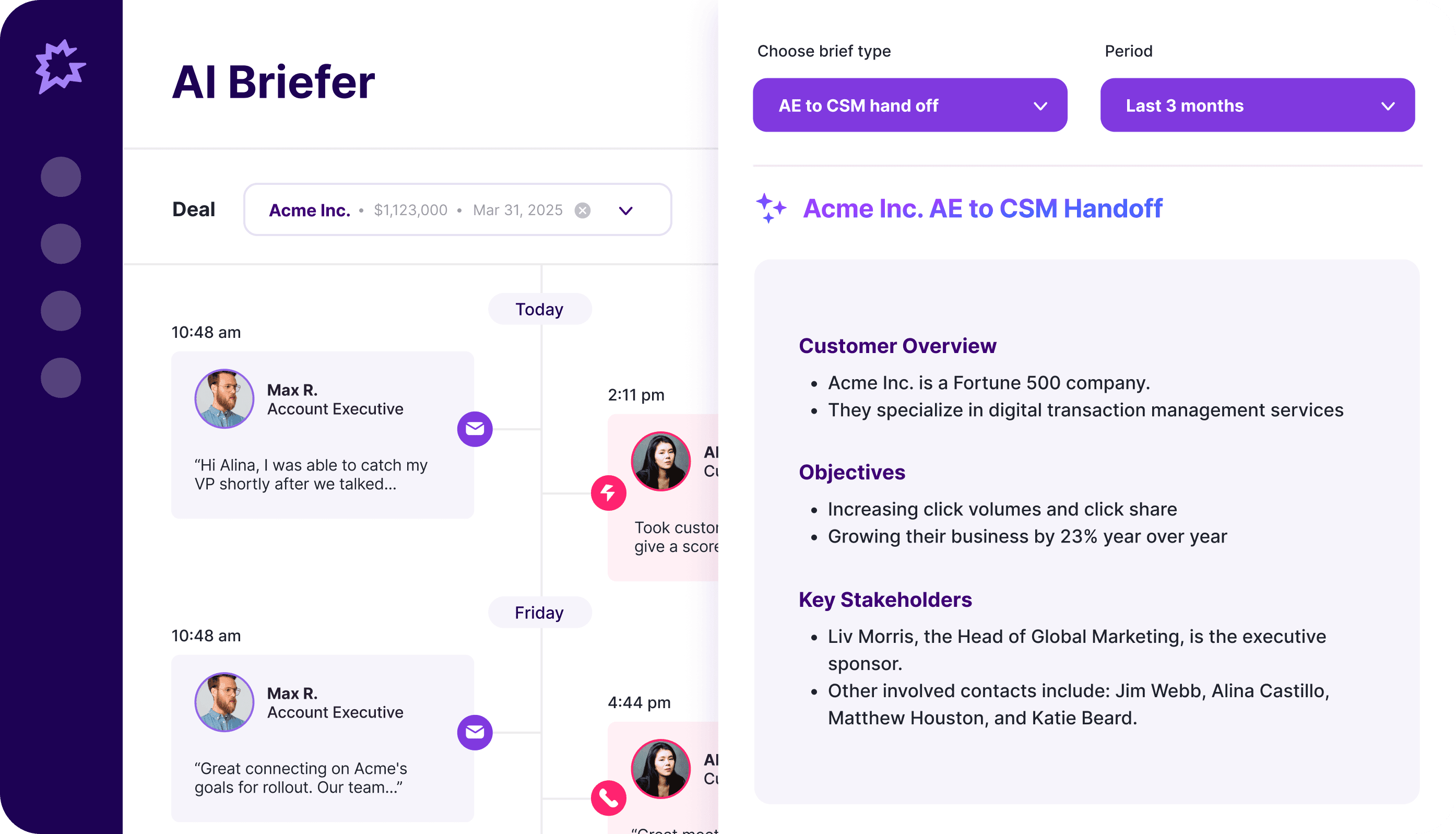
Gong records, transcribes, and analyzes customer conversations across Zoom, email, and calls. It extracts insights to improve rep performance, optimize deal management, and forecast more reliably.
You get full call transcripts with AI-labeled highlights, such as objections raised, pricing discussions, competitor mentions, and pain points.
With Gong’s "Trackers" feature, you can create custom trackers by entering specific keywords or competitor names, and Gong will automatically flag them in all your call transcripts.
Gong also provides coaching insights that show how top reps communicate and where others can improve. These insights help you spot performance gaps across the team and take actions to boost productivity.
Pros
Sales professionals using Gong can:
Record, transcribe, etc.
Get guidance on next steps and effective outreach through Gong Engage
Spot red flags, track deal health, and receive alerts when deals go off track
Forecast revenue more accurately with behavior-based insights
Cons
Users mention that Gong:
Provides excellent post-call insights, but there’s no real-time assistant to guide reps while the call is happening
Doesn’t record or analyze calls under 60 seconds
Best for
Gong is best for large orgs that want layered visibility and in-depth call analysis.
8. Clari
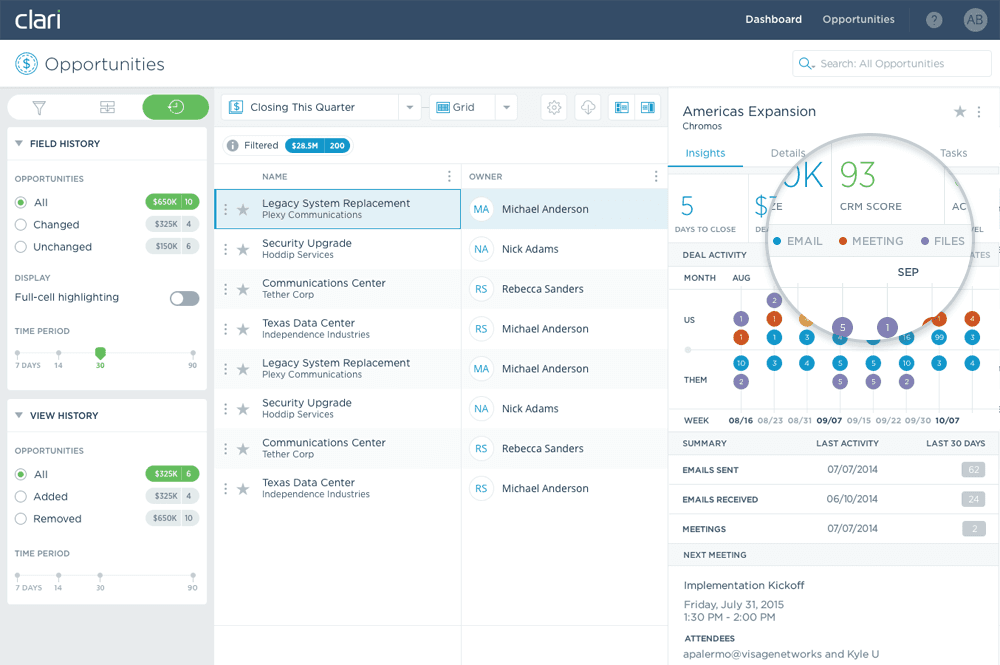
Clari helps revenue teams forecast more accurately and increase sales productivity across their go-to-market motion. It pulls data from your CRM platforms and connected sales systems, then uses AI-powered analytics to predict revenue, flag deal risks, and guide resource allocation in real-time.
In recent years, Clari has evolved from a forecasting tool into a full revenue platform. After acquiring Wingman (now Clari Copilot) and Groove, Clari combined conversation intelligence, sales engagement, and forecasting into one unified system. Reps can review AI-generated call summaries, automate email cadences, and track deal health in the same workspace.
Clari also entered into a merger agreement with Salesloft, which further expands its reach across the revenue lifecycle. This combined platform is positioned to bring forecasting, engagement, coaching, and deal execution together in a more integrated way for modern revenue teams.
Pros
Clari lets revenue teams:
Forecast revenue, sales, and risk management more accurately
Record, transcribe, and summarize meetings automatically using Clari Copilot
Track and update deals on their mobile app
Detect early slippage signals so they can act before deals slow down
Cons
According to G2 users:
Customization options are limited, with some calling out that template organization for outbound could be improved
The interface can feel clunky and unintuitive
Best for
Clari is built for complex, large organizations. It supports multiple teams/territories and diverse revenue models (subscription, consumption-based, etc.), handling the needs of global enterprises.
Choosing the right GTM automation partner
Building the right GTM automation stack means choosing tools that work well together, streamline repetitive work, and give your teams real-time insight into what drives conversions. The strongest setups connect marketing, sales, and operations so every team moves faster and stays aligned around the same goals.
Choosing tools that evolve with technology also matters. AI is reshaping how teams engage prospects, qualify leads, and maintain data quality. Instead of relying on rigid workflows or rule-based chatbots, AI tools use intelligence to automate and personalize different parts of GTM workflows.
The best GTM stacks blend tools with different strengths. Some platforms focus on analytics and reporting. Others deliver cleaner data, faster routing, or multichannel engagement.
Spara fits into this ecosystem as an AI-native platform built to strengthen inbound conversion. It works best with the rest of your GTM tools, trains on your data, and powers conversion-ready conversations across chat, email, and voice.
Ready to turn inbound demand into revenue? Book a demo and experience Spara in action.

Lauren ThompsonHead of Marketing, Spara
FAQs
Related posts
View all
GTM
Sönke Venjacob’s playbook for turning inbound interest into booked meetings
Sönke Venjacob reveals how to convert inbound interest into booked meetings by automating nurture sequences, prioritizing engaged leads, and leading with value instead of hard selling.
Jan 28, 2026
•
4 min read

GTM
How to use AI for marketing: benefits, tools, & best practices
Learn how to use AI for marketing to automate responses, personalize experiences, qualify leads, and improve conversion rates across chat, email, and voice.
Jan 23, 2026
•
8 min read

GTM
Conversational agents: what they are and why GTM teams rely on them
Conversational agents use AI and natural language to engage buyers in real time. Learn how they improve inbound engagement, qualification, and pipeline.
Jan 23, 2026
•
9 min read
Sign up for the latest from Spara
Subscribe to get more GTM insights straight to your inbox.